
Wi-Fi Routers
This page holds Ruijie Wi-Fi routers for homes, offices and small businesses. They include a 300Mbps router on 2.4GHz, a dual-band Wi-Fi 5 router, Wi-Fi 6 routers including a gaming router, two all-in-one business routers, and the RG-M18 and RG-M32 Wi-Fi 6 mesh routers, some sold as a 2-pack, which join up with Reyee Mesh to spread coverage across a larger home.
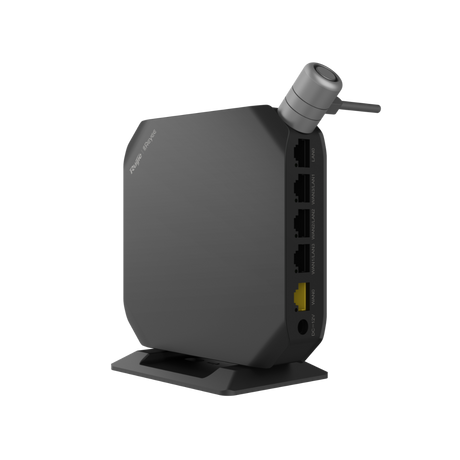 Save £17.64
AC1300 Dual-Band Business Router RG-EG105GW(T) - 5× Gigabit, Cloud-Managed
Seamless Setup£ 88 22RRP: £105.863 Years WarrantyFast delivery Wed, 04 Nov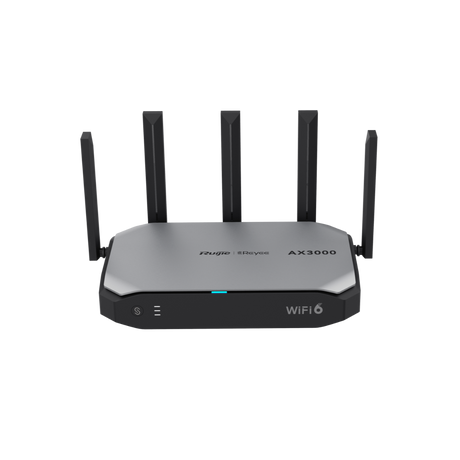 Save £33.67
Reyee RG-EG105GW-X AX3000 Wi-Fi 6 Business Router, 5×GigE, USB 3.0
Wi-Fi 6£ 168 37RRP: £202.04Fast delivery Wed, 04 Nov Save £9.41
RG-EW1200G PRO Dual-Band Wi-Fi 5 Router (802.11ac Wave2), Reyee Mesh, 1WAN+3LAN Gigabit, 6 Antennas
Mesh Ready£ 47 04RRP: £56.45Fast delivery Wed, 04 Nov Save £13.68
RG-EW3000GX AX3000 Wi-Fi 6 Dual-WAN Mesh Router
AX3000£ 68 42RRP: £82.10Fast delivery Wed, 04 Nov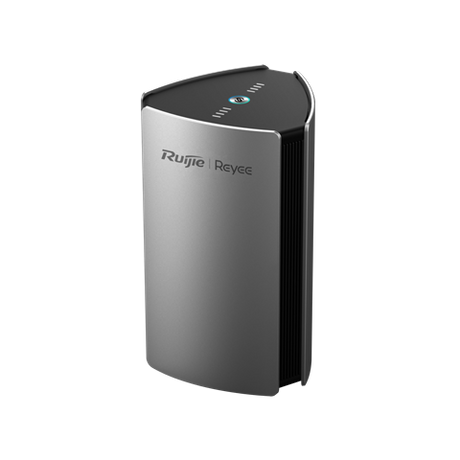 Save £60.12
RG-M32 AX3200 Dual-Band Mesh Router, 2-pack
Wi-Fi 6 Enabled£ 300 58RRP: £360.70Fast delivery Wed, 04 Nov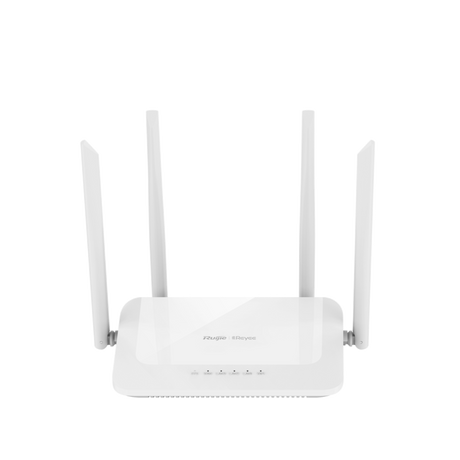 Save £5.63
Ruijie Reyee RG-EW1200 AC1200 Dual-band Wi-Fi 5 Router, MU-MIMO, Mesh, 4× Antennas, 10/100 LAN/WAN
Mesh Technology£ 28 15RRP: £33.78Fast delivery Wed, 04 Nov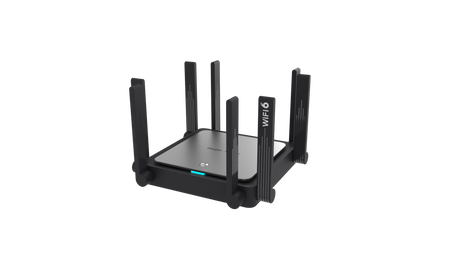 Save £21.93
Ruijie Reyee RG-EW3200GX PRO AX3200 Wi-Fi 6 Dual-Band Mesh Router RG-EW3200GX-PRO
Wi-Fi 6 Ready£ 109 67RRP: £131.60 Save £40.60
Ruijie Reyee RG-EW7200BE PRO Dual-band Wi-Fi 7 Router BE7200 RG-EW7200BE-PRO
Wi‑Fi 7£ 202 98RRP: £243.58 Save £8.01
Ruijie RG-EW1300G AC1300 Dual-Band Wi-Fi 5 Router RG-EW1300G
AC1300£ 40 06RRP: £48.07Fast delivery Wed, 04 Nov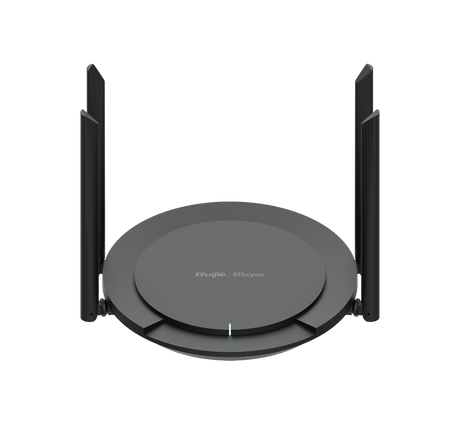 Save £4.36
 Save £18.78
 Save £1.30
Ruijie RG-EW300N N300 Wi-Fi Router, 2.4 GHz, 1WAN/3LAN, Cloud Mgmt, 3yr
Cloud Mgmt£ 17 42RRP: £18.72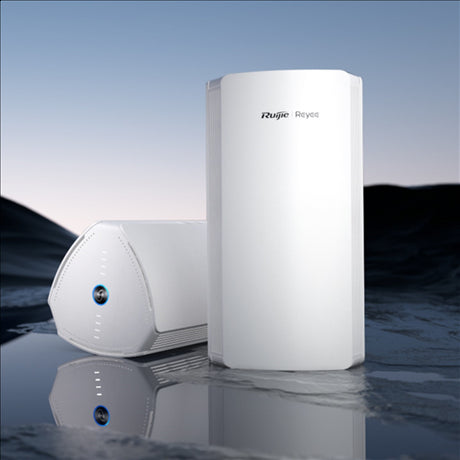 Save £34.90
Ruijie RG-M18 (2-Pack) AX1800 Wi-Fi 6 Mesh Router 574+1201 Mbps RG-M18(2PACK)
Wi-Fi 6 Power£ 174 49RRP: £209.39Fast delivery Wed, 04 Nov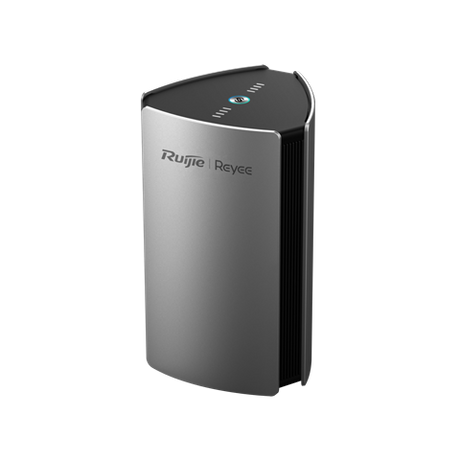 Save £33.43
Wi-Fi 6 Dual-Band Mesh Router, 4×4 MIMO, 3200 Mbps, Gigabit Ports RG-M32
Gigabit Wi-Fi£ 167 16RRP: £200.59Fast delivery Wed, 04 Nov


Choosing Wi-Fi Routers
Decide whether one router will cover the space or whether you need mesh units, then pick Wi-Fi 5 or Wi-Fi 6 and the number of users.
Routers for a home
The RG-EW300 PRO is a 300Mbps router with four 5dBi antennas, WISP and repeater modes and concurrent access for up to 16 recommended terminals. The RG-EW1200 is a dual-band Wi-Fi 5 router with speeds up to 1167Mbps, four omnidirectional antennas, parental control and a health mode, and it handles up to 64 concurrent connections. The RG-EW3200GX PRO moves to Wi-Fi 6 with a dual-core, four-thread CPU, five Gigabit ports and concurrent access for up to 64 terminals.
Mesh for larger homes
Mesh routers share one network across several units. The RG-M18 2-pack is a Wi-Fi 6 mesh router that supports up to 192 devices simultaneously. The RG-M32 has four dual-band antennas and eight signal amplifiers on a 4x4 enterprise-level chipset for whole-home coverage. The RG-M18 and RG-M32 have a smart signal indicator that helps you find the optimal place for the sub-router.
Business routers
The RG-EG105GW(T) is an all-in-one Wi-Fi 5 business router at 1267Mbps for small businesses such as retail, restaurants, coffee shops and hotels, with one-button Reyee Mesh networking and desktop or wall installation. The RG-EG105GW-X is a Wi-Fi 6 AX3000 all-in-one router with remote monitoring for NVRs, IP cameras and internal servers, managed through the Ruijie Cloud app and platform.
| Model | Wi-Fi | Type | Capacity or feature |
|---|---|---|---|
| RG-EW300 PRO | 2.4GHz, 300Mbps | Home router | 16 recommended terminals |
| RG-EW1200 | Wi-Fi 5, 1167Mbps | Home and office router | 64 concurrent connections |
| RG-EW3200GX PRO | Wi-Fi 6 | Mesh router | 64 terminals |
| RG-M18 (2-pack) | Wi-Fi 6 | Mesh router | 192 devices |
| RG-M32 | Wi-Fi 6, 4x4 | Mesh router | Eight signal amplifiers |
| RG-EG105GW(T) | Wi-Fi 5, 1267Mbps | Business router | Reyee Mesh |
| RG-EG105GW-X | Wi-Fi 6, AX3000 | Business router | Ruijie Cloud |
Related categories
Add coverage with wireless access points such as Ruijie access points, connect wired devices through network switches and PoE and patch with Ethernet cables. See also Network Routers. The wider line is in Ruijie products and Ruijie routers.
Brands we stock in Wi-Fi Routers
Frequently asked questions
What router is good for a retail shop?
A retail shop is usually well served by a business router with built-in Wi-Fi, several wired ports and cloud management, so the network can be checked remotely. A separate guest network keeps customer Wi-Fi apart from business devices such as tills and cameras. The range here includes business routers and mesh routers for small shops.
What is a Wi-Fi router?
A Wi-Fi router is a device that takes your internet connection and shares it with phones, laptops and other devices over wireless signals and network cables. Dual-band models broadcast on two frequency bands, which helps spread devices across the network. Newer Wi-Fi standards add speed and capacity. The range here includes dual-band and mesh routers.
How do you change the Wi-Fi password on a router?
To change the Wi-Fi password, sign in to the router's web page or management app, open the wireless settings and enter a new password for the network. Save the change, then reconnect your devices using the new password. Choose a long password that is hard to guess. The range here includes routers that can be managed through a cloud app.
How do you install a Wi-Fi router?
To install a Wi-Fi router, connect its WAN port to the modem or broadband line, power it on and follow the setup steps in the browser or app. Place it centrally and up high, away from thick walls and metal, for wider coverage. Mesh units can be added where the signal is weak. The range here includes mesh and standalone routers.
What is the difference between a modem and a Wi-Fi router?
A modem connects your premises to the internet provider's line, while a Wi-Fi router shares that connection between devices over wireless and wired links. Some broadband hubs combine a modem and router in one box. A separate router can add mesh coverage, a guest network and better management. The range here includes standalone Wi-Fi routers and mesh systems.
Why buy from West Midlands Electrics
- Established 1975
- Birmingham trade counter
- UK-only supply
Updated
You may also like
-
Save £17.64
AC1300 Dual-Band Business Router RG-EG105GW(T) - 5× Gigabit, Cloud-Managed
Seamless Setup£ 88 22RRP: £105.863 Years WarrantyFast delivery Wed, 04 Nov -
Save £33.67
Reyee RG-EG105GW-X AX3000 Wi-Fi 6 Business Router, 5×GigE, USB 3.0
Wi-Fi 6£ 168 37RRP: £202.04Fast delivery Wed, 04 Nov -
Save £9.41
RG-EW1200G PRO Dual-Band Wi-Fi 5 Router (802.11ac Wave2), Reyee Mesh, 1WAN+3LAN Gigabit, 6 Antennas
Mesh Ready£ 47 04RRP: £56.45Fast delivery Wed, 04 Nov -
Save £13.68
RG-EW3000GX AX3000 Wi-Fi 6 Dual-WAN Mesh Router
AX3000£ 68 42RRP: £82.10Fast delivery Wed, 04 Nov -
Save £60.12
RG-M32 AX3200 Dual-Band Mesh Router, 2-pack
Wi-Fi 6 Enabled£ 300 58RRP: £360.70Fast delivery Wed, 04 Nov -
Save £5.63
Ruijie Reyee RG-EW1200 AC1200 Dual-band Wi-Fi 5 Router, MU-MIMO, Mesh, 4× Antennas, 10/100 LAN/WAN
Mesh Technology£ 28 15RRP: £33.78Fast delivery Wed, 04 Nov -
Save £21.93
Ruijie Reyee RG-EW3200GX PRO AX3200 Wi-Fi 6 Dual-Band Mesh Router RG-EW3200GX-PRO
Wi-Fi 6 Ready£ 109 67RRP: £131.60 -
Save £40.60
Ruijie Reyee RG-EW7200BE PRO Dual-band Wi-Fi 7 Router BE7200 RG-EW7200BE-PRO
Wi‑Fi 7£ 202 98RRP: £243.58 -
Save £8.01
Ruijie RG-EW1300G AC1300 Dual-Band Wi-Fi 5 Router RG-EW1300G
AC1300£ 40 06RRP: £48.07Fast delivery Wed, 04 Nov -
Save £4.36
-
Save £18.78
-
Save £1.30
Ruijie RG-EW300N N300 Wi-Fi Router, 2.4 GHz, 1WAN/3LAN, Cloud Mgmt, 3yr
Cloud Mgmt£ 17 42RRP: £18.72 -
Save £34.90
Ruijie RG-M18 (2-Pack) AX1800 Wi-Fi 6 Mesh Router 574+1201 Mbps RG-M18(2PACK)
Wi-Fi 6 Power£ 174 49RRP: £209.39Fast delivery Wed, 04 Nov -
Save £33.43
Wi-Fi 6 Dual-Band Mesh Router, 4×4 MIMO, 3200 Mbps, Gigabit Ports RG-M32
Gigabit Wi-Fi£ 167 16RRP: £200.59Fast delivery Wed, 04 Nov