
Data & Networking
Data and networking is the parent collection for the whole networking range: switches and PoE, routers, wireless access points and bridges, fibre media converters, SFP modules and fibre cable, Ethernet extenders, copper cabling, patch panels, data outlets, network cabinets, UPS and power distribution. Makers include AMG Systems, Comnet, Connectix, D-Link, Eaton, Hikvision, Nitek, Ruijie and TRENDnet, and the main parts of the range have their own collections, linked below.
 Save £0.99
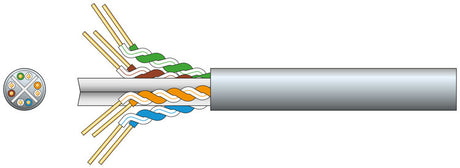 Save £3.17
High Speed£ 42 69RRP: £45.86Fast delivery Wed, 04 Nov
 Save £14.69
 Save £2.76
Haydon HAY-RJ45CAT6-T100RAP Cat6 Pass-Through RJ45 Modular Plugs (Tub of 100)
100 Pack£ 13 80RRP: £16.56Fast delivery Wed, 04 Nov Save £1.93
Haydon RJ45/RJ11 Ethernet Cable Tester, LED Wire-Mapping & Remote (HAY-RJ45TEST)
Remote Test£ 9 66RRP: £11.59Fast delivery Wed, 04 Nov Save £0.48
RJ45 Cat6 Rapid-fit Pass-Through Plugs, 8P8C, Gold Contacts, 10-Pack HAY-RJ45CAT6-10RAP
PassThru£ 2 42RRP: £2.90Fast delivery Wed, 04 Nov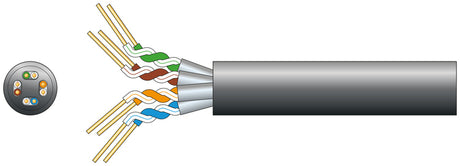 Save £15.17
Mercury: 808.034UK, Cat6a U/FTP Outdoor Network Cable, Black, 305m, LDPE Sheath
High Speed£ 204 02RRP: £219.19Fast delivery Wed, 04 Nov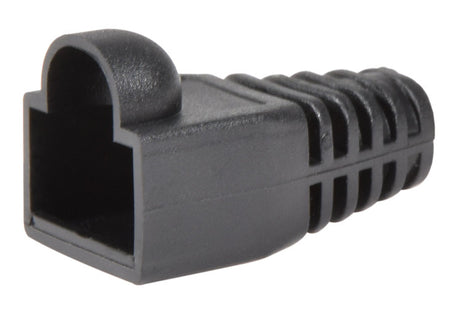 Save £0.01
AV:Link: 113.120UK, RJ45 Strain Relief Boot for Cat5e/Cat6/Cat6a, Black, Pack of 10
Durable Design£ 0 15RRP: £0.16Fast delivery Wed, 04 Nov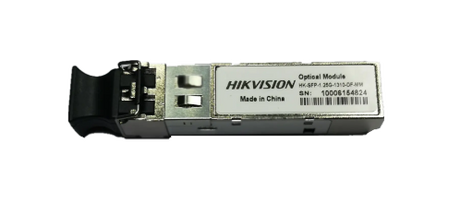 Save £3.49
Hikvision HK-SFP-1.25G-1310-DF-MM 1.25Gb Multimode SFP (LC Duplex, 1 km)
Hot PluggableFast delivery Wed, 04 Nov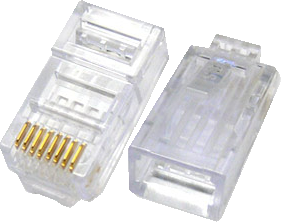 Save £0.41
Haydon RJ45 Cat6 Rapid-Fit Crimp Connector, Pass-Through
Reliable Crimps£ 2 07RRP: £2.48Fast delivery Wed, 04 Nov Save £12.82
Hikvision DS-3T0506HP-E/HS 4-Port Gigabit Hardened PoE Switch (Hi-PoE, 65W)
HiPoEFast delivery Wed, 04 Nov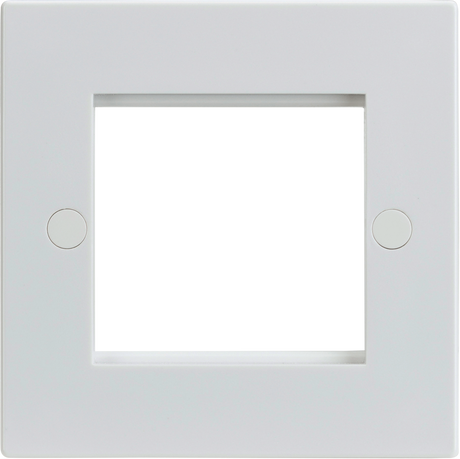 Save £0.13
Euro Module Ready£ 0 66RRP: £0.7915 Years WarrantyFast delivery Wed, 04 Nov
 Save £0.13
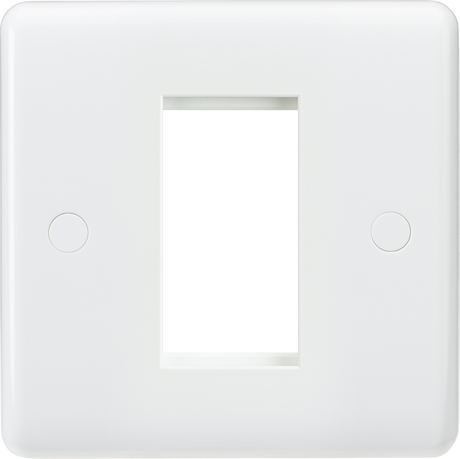
Knightsbridge: CU1G, 1G Modular Faceplate, White, Anti-Microbial, Rounded Edges, 86mm x 86mm, IP20
Anti-Microbial£ 0 72RRP: £0.8525 Years WarrantyFast delivery Wed, 04 Nov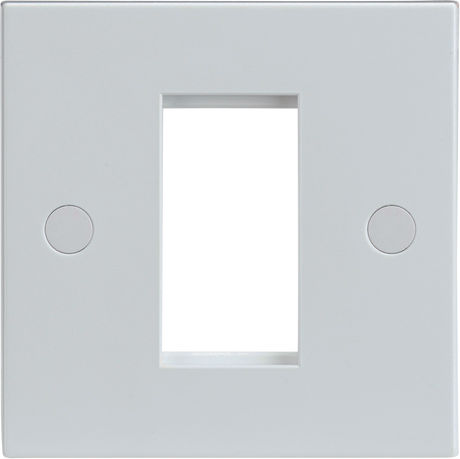 Save £0.23
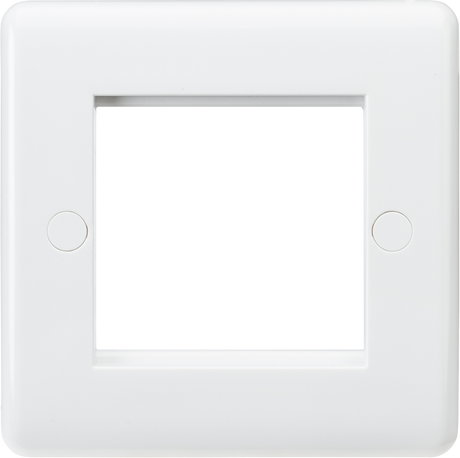
Euro Module Ready£ 0 72RRP: £0.9515 Years WarrantyFast delivery Wed, 04 Nov
 Save £0.14
Knightsbridge: CU2G, 2G Modular Faceplate, White, IP20 Rated, Thermoset Resin, 86mm
Durable Design£ 0 71RRP: £0.8525 Years WarrantyFast delivery Wed, 04 Nov Save £16.89
RG-RAP52-OD AC1300 Outdoor Wi-Fi 5 Dual-Band Access Point, IP65
IP65 Rated£ 84 44RRP: £101.33Fast delivery Wed, 04 Nov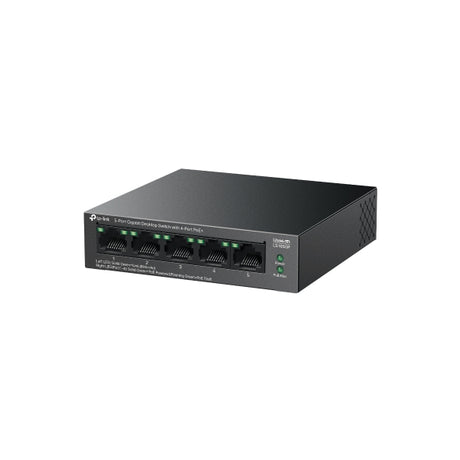 Save £7.00
£ 44 99RRP: £51.995 Years WarrantyFast delivery Wed, 04 Nov
 Save £2.85
Adastra: 776.491UK, 19" Rackmount Power Distribution Unit, 8 Gang UK, 1U Height, 10A Fuse
Convenient Power£ 31 35RRP: £34.20Fast delivery Wed, 04 Nov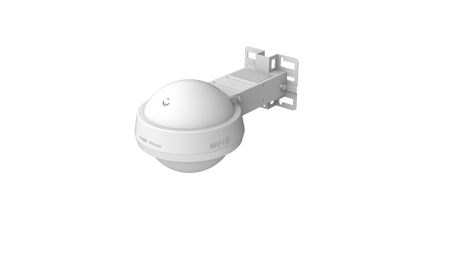 Save £34.35
 Save £7.33
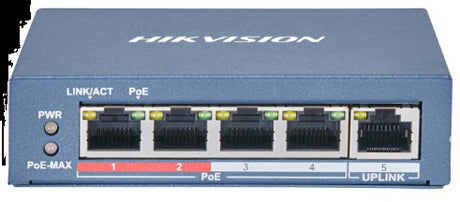
Hikvision DS-3E0105P-E(B) 4-Port 10/100 PoE Switch, 802.3af/at, Surge Protected
300m PoE RangeFast delivery Wed, 04 Nov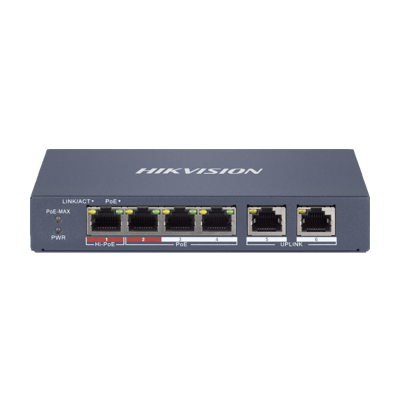 Save £9.65
DS-3E1106HP-EI 6-Port Smart-Managed PoE Switch, 4 PoE + 2 Uplink, 60 W Budget
300 m RangeFast delivery Wed, 04 Nov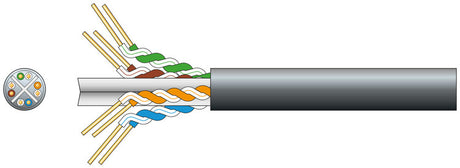
Mercury: 808.040UK, Cat6 U/UTP Outdoor Network Cable, Black, 100m, OFC, LDPE Sheath
High Speed£ 51 99Fast delivery Wed, 04 Nov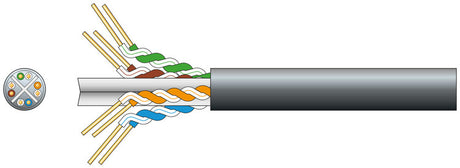 Save £3.48
Mercury: 808.027UK, Economy Cat6 Outdoor U/UTP Network Cable, 305m, Black, Solid CCA
Outdoor Use£ 46 83RRP: £50.31Fast delivery Wed, 04 Nov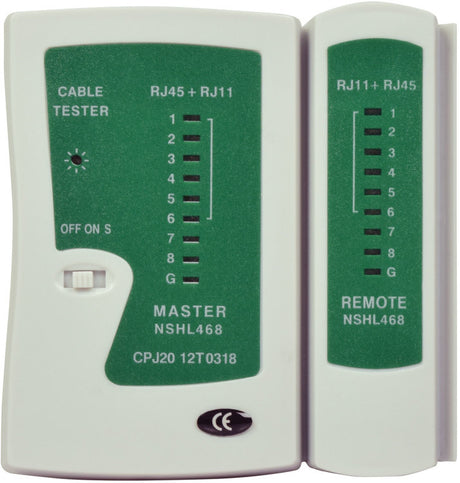 Save £0.54
Mercury: 505.990UK, RJ45/RJ11 Ethernet Network Cable Tester, LED Indicators, Requires 9V Battery
Network Testing£ 7 25RRP: £7.79Fast delivery Wed, 04 Nov Save £5.20
Ubiquiti Gigabit PoE Injector, 24V 1A Passive, 24W POE-24-24W-G
£ 25 99RRP: £31.19 Save £58.88
Ubiquiti LTU Pro 5 GHz Wireless CPE, 24 dBi Dish Antenna LTU-Pro
£ 294 40RRP: £353.28


Choosing Data & Networking
Plan a network from the core outwards: switches first, then links between rooms and buildings, then cabling, racks and power.
Switching and PoE
Switches connect wired devices, and PoE models also power cameras, access points and phones. Examples include the D-Link DGS-1210-10P Web Smart switch, the Ruijie RG-CS83-24GT4XS-P with 10G SFP+ uplinks, and the hardened Dahua DH-HS4412-8ET-120. For one extra device, a PoE injector such as the AMG150-1GBT-P90 adds power to an existing link.
Fibre, extenders and wireless
Copper Ethernet is planned to 100m; beyond that, use fibre, an extender or radio. The AMG S18941 SFP reaches about 10 km over single-mode fibre, and Comnet CNFE2MC media converters carry Ethernet over optical fibre. The Nitek EL1500CP-W1 extends Ethernet and PoE over coax up to 500m.
Cabling, racks and power
Structured cabling covers Connectix fibre and network cable, SFX armoured Cat5e and Cat6, patch panels, and Knightsbridge RJ45 outlets such as the CL45BC. All-Rack cabinets include the 6U CAB6WB600BLK wall-mount and the 18U CAB186X6 floor-standing model, and Eaton UPS units such as the 5PX1500IRTNG2BS keep equipment running through a power cut.
| Need | Example | Notes |
|---|---|---|
| Office router | Ruijie RG-EG310GH-P-E | 8 PoE ports, 1.5 Gbps |
| Link another building | AMG S18941 SFP | 10 km, single-mode LC |
| Reuse coax for IP | Veracity VLS-1N-LC | HIGHWIRE Longstar coax extender |
| Rack housing | All-Rack CAB186X6 | 18U, 600×600 mm |
| Test a run | Mercury 505.993UK | RJ45, RJ11, USB, BNC |
Brands we stock in Data & Networking
Adastra, Advanced, All-Rack, Alta Labs, AMG Systems, APC, AV:Link, Axis Communications, Belden, Bosch, BTicino by Legrand, CIE Group, Comelit PAC, Comnet, Connectix Cabling Systems, D-Link, Dahua Technology, Dantech Electronic Engineering, Dynamic, Eaton, ESP, Fermax, Folk Safe, Genie, GEWISS, Hanwha Vision, Haydon, Hikvision, HiLook, Knightsbridge, LigoWave, Luminite, Mercury, NETGEAR, Nitek, NVT Phybridge, OpenEye, Optex, Penton, Redvision, Rhino Guard, Riello UPS, Ruijie, Secure Logiq, Securi-Flex, SFX Cables, Tenda, TOA, TP-Link, TRENDnet, Ubiquiti, Uniti Power, Vanco, Veracity, Verint, Vigitron and Xtralis by Honeywell.
AMG Systems, Comnet, Connectix Cabling Systems, Hikvision, Knightsbridge, Ruijie and TRENDnet make most of the range.
Related categories
Go to network switches and PoE, including PoE switches; Wi-Fi and wireless hardware, including access points and wireless bridges; fibre optic networking; network cables and accessories, including Ethernet cables and patch panels; and server racks and cabinets. See also Ethernet & Network Sockets, Ubiquiti Products and Wi-Fi Extenders & Boosters. For IP camera systems, see CCTV cameras and CCTV installation accessories.
Frequently asked questions
What is network equipment?
Network equipment is the hardware that connects devices and moves data between them on a wired or wireless network. Typical kit includes switches, routers, wireless access points, media converters, patch panels, cabinets and cabling. In security work it also links IP cameras with their recorders. The range here includes network switches, media converters, fibre transceivers and data cabinets.
What equipment is needed for a network?
A small network usually needs a router for the internet connection, a switch to connect wired devices, and cabling such as Cat6 with RJ45 connections. Add wireless access points for Wi-Fi coverage, and a PoE switch if you are powering cameras or phones over the data cable. Larger sites often add patch panels and a data cabinet.
How do you find the IP address of a device on a network?
The quickest way is usually to open your router's connected-devices page, which shows the IP addresses of devices on the network. You can also use the maker's discovery tool or a network scanner app. Give fixed kit such as cameras and recorders a static or reserved address, so it stays the same after a restart.
Why buy from West Midlands Electrics
- Established 1975
- Birmingham trade counter
- UK-only supply
Updated
You may also like
-
Save £0.99
-
Save £3.17
High Speed£ 42 69RRP: £45.86Fast delivery Wed, 04 Nov
-
Save £14.69
-
Save £2.76
Haydon HAY-RJ45CAT6-T100RAP Cat6 Pass-Through RJ45 Modular Plugs (Tub of 100)
100 Pack£ 13 80RRP: £16.56Fast delivery Wed, 04 Nov -
Save £1.93
Haydon RJ45/RJ11 Ethernet Cable Tester, LED Wire-Mapping & Remote (HAY-RJ45TEST)
Remote Test£ 9 66RRP: £11.59Fast delivery Wed, 04 Nov -
Save £0.48
RJ45 Cat6 Rapid-fit Pass-Through Plugs, 8P8C, Gold Contacts, 10-Pack HAY-RJ45CAT6-10RAP
PassThru£ 2 42RRP: £2.90Fast delivery Wed, 04 Nov -
Save £15.17
Mercury: 808.034UK, Cat6a U/FTP Outdoor Network Cable, Black, 305m, LDPE Sheath
High Speed£ 204 02RRP: £219.19Fast delivery Wed, 04 Nov -
Save £0.01
AV:Link: 113.120UK, RJ45 Strain Relief Boot for Cat5e/Cat6/Cat6a, Black, Pack of 10
Durable Design£ 0 15RRP: £0.16Fast delivery Wed, 04 Nov -
Save £3.49
Hikvision HK-SFP-1.25G-1310-DF-MM 1.25Gb Multimode SFP (LC Duplex, 1 km)
Hot PluggableFast delivery Wed, 04 Nov -
Save £0.41
Haydon RJ45 Cat6 Rapid-Fit Crimp Connector, Pass-Through
Reliable Crimps£ 2 07RRP: £2.48Fast delivery Wed, 04 Nov -
Save £12.82
Hikvision DS-3T0506HP-E/HS 4-Port Gigabit Hardened PoE Switch (Hi-PoE, 65W)
HiPoEFast delivery Wed, 04 Nov -
Save £0.13
Euro Module Ready£ 0 66RRP: £0.7915 Years WarrantyFast delivery Wed, 04 Nov
-
Save £0.13
Knightsbridge: CU1G, 1G Modular Faceplate, White, Anti-Microbial, Rounded Edges, 86mm x 86mm, IP20
Anti-Microbial£ 0 72RRP: £0.8525 Years WarrantyFast delivery Wed, 04 Nov -
Save £0.23
Euro Module Ready£ 0 72RRP: £0.9515 Years WarrantyFast delivery Wed, 04 Nov
-
Save £0.14
Knightsbridge: CU2G, 2G Modular Faceplate, White, IP20 Rated, Thermoset Resin, 86mm
Durable Design£ 0 71RRP: £0.8525 Years WarrantyFast delivery Wed, 04 Nov -
Save £16.89
RG-RAP52-OD AC1300 Outdoor Wi-Fi 5 Dual-Band Access Point, IP65
IP65 Rated£ 84 44RRP: £101.33Fast delivery Wed, 04 Nov -
Save £7.00
£ 44 99RRP: £51.995 Years WarrantyFast delivery Wed, 04 Nov
-
Save £2.85
Adastra: 776.491UK, 19" Rackmount Power Distribution Unit, 8 Gang UK, 1U Height, 10A Fuse
Convenient Power£ 31 35RRP: £34.20Fast delivery Wed, 04 Nov -
Save £34.35
-
Save £7.33
Hikvision DS-3E0105P-E(B) 4-Port 10/100 PoE Switch, 802.3af/at, Surge Protected
300m PoE RangeFast delivery Wed, 04 Nov -
Save £9.65
DS-3E1106HP-EI 6-Port Smart-Managed PoE Switch, 4 PoE + 2 Uplink, 60 W Budget
300 m RangeFast delivery Wed, 04 Nov -
Mercury: 808.040UK, Cat6 U/UTP Outdoor Network Cable, Black, 100m, OFC, LDPE Sheath
High Speed£ 51 99Fast delivery Wed, 04 Nov -
Save £3.48
Mercury: 808.027UK, Economy Cat6 Outdoor U/UTP Network Cable, 305m, Black, Solid CCA
Outdoor Use£ 46 83RRP: £50.31Fast delivery Wed, 04 Nov -
Save £0.54
Mercury: 505.990UK, RJ45/RJ11 Ethernet Network Cable Tester, LED Indicators, Requires 9V Battery
Network Testing£ 7 25RRP: £7.79Fast delivery Wed, 04 Nov -
Save £5.20
Ubiquiti Gigabit PoE Injector, 24V 1A Passive, 24W POE-24-24W-G
£ 25 99RRP: £31.19 -
Save £58.88
Ubiquiti LTU Pro 5 GHz Wireless CPE, 24 dBi Dish Antenna LTU-Pro
£ 294 40RRP: £353.28