
Hikvision NVRs
These Hikvision network video recorders store and play back footage from IP cameras. The DS-96256NI-I24 enterprise NVR has dual 4K HDMI outputs. The page runs through 4G and PoE desktop recorders, AcuSense and VPro models with on-board AI, M Series units with 8K HDMI, DeepinMind recorders and rack-mounted enterprise NVRs, plus the DS-E08NI-Q1/8P mini NVR with a 2TB SSD and an 8-channel mobile NVR.
 Save £36.14
Hikvision DS-7604NXI-K1/4P(D) 4-Channel AcuSense 4K NVR, 4-Port PoE
4 Channel PoEFast delivery Tomorrow, 11 Nov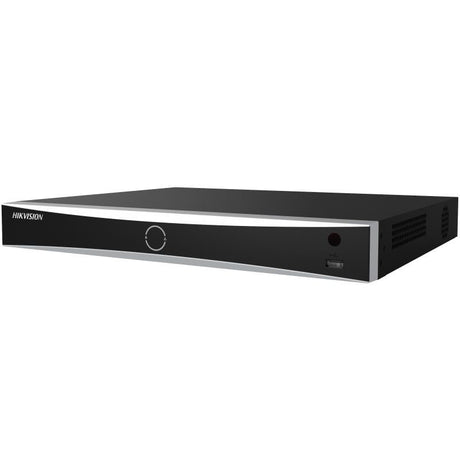 Save £59.95
Hikvision 8-Channel AcuSense 4K NVR with 8-Port PoE, 2×SATA - DS-7608NXI-K2/8P(D)
8 ChannelsFast delivery Tomorrow, 11 Nov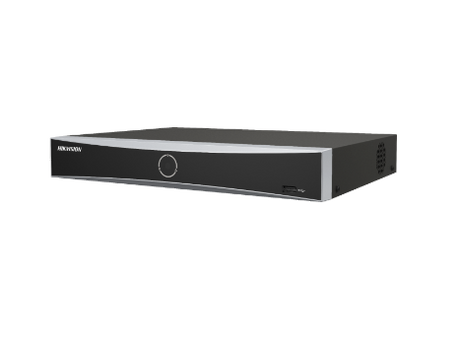
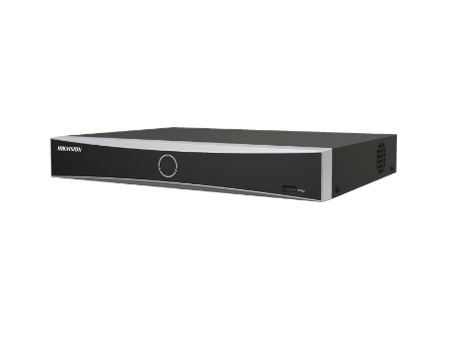 Save £45.07
8-Channel AcuSense 4K PoE NVR, 8-Port PoE, DS-7608NXI-K1/8P
AcuSense TechFast delivery Tomorrow, 11 Nov Save £96.77
Hikvision DS-7616NI-M2/16P 16-ch PoE NVR, 8K HDMI, 2×SATA DS-7616NI-M2/16P
16 PoEFast delivery Tomorrow, 11 Nov Save £94.69
Hikvision DS-7716NXI-I4/S 16-Ch 4K AcuSense NVR, 4×SATA, HDMI 4K60
AcuSenseFast delivery Tomorrow, 11 Nov Save £83.12
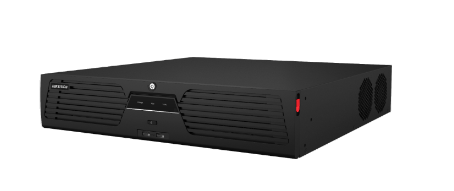 Save £216.89
DS-9632NI-M8 32-Channel 2U Rackmount NVR, 8K HDMI, 8×SATA, RAID0/1/5/6/10
32-Channel NVRFast delivery Tomorrow, 11 Nov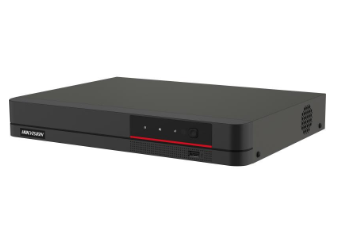 Save £65.94
Hikvision DS-7608NI-K1/8P/4G 8-ch NVR, 8-Port PoE, 4K HDMI, 1×SATA
4G ConnectivityFast delivery Tomorrow, 11 Nov Save £31.59
 Save £129.09
Hikvision DS-7716NXI-I4/16P/S(E) 16-ch PoE AcuSense NVR, 4×HDD, 4K
AcuSense AIFast delivery Tomorrow, 11 Nov Save £184.02
32-Ch 4K NVR, 24-Port PoE, Dual HDMI (8K/4K), DS-7732NI-M4/24P
32 Channel InputFast delivery Tomorrow, 11 Nov Save £568.66
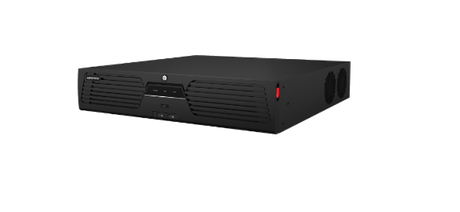 Save £328.29
Hikvision DS-9664NI-M8 64-Channel 8K NVR, 8× SATA RAID
64 Channel NVRFast delivery Tomorrow, 11 Nov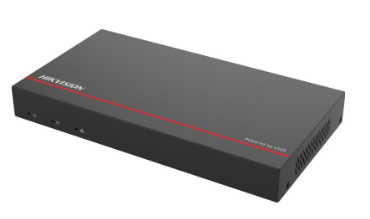 Save £148.84
Hikvision DS-E08NI-Q1/8P 8-Channel Mini NVR, 8-Port PoE, 2TB SSD
eSSD PoweredFast delivery Tomorrow, 11 Nov Save £318.77
Hikvision iDS-7716NXI-M4/16P/X 16-ch DeepinMind NVR, 16 PoE, 4× SATA
8K ResolutionFast delivery Tomorrow, 11 Nov Save £751.05
Hikvision DS-96128NI-M16/R 128-Ch 3U Rackmount NVR, 16-Bay, 400 Mbps
32MP ClarityFast delivery Tomorrow, 11 Nov Save £1,109.56
 Save £21.17
 Save £77.93
 Save £46.98
 Save £154.75
 Save £105.51
 Save £987.30
 Save £30.89
 Save £827.45
 Save £1,004.27


Choosing Hikvision NVRs
Work out how many cameras the recorder must take now and later, whether it should power them, and how the footage will be kept and viewed.
Channels and camera power
Channel counts on this page run from 4 to 256. Many K Series recorders have PoE ports built in, such as the DS-7604NXI-K1/4P(D) with 4, the DS-7608NXI-K2/8P(D) with 8 and the DS-7616NXI-K2/16P with 16, so a camera takes power and video over one network cable. The DS-7732NI-M4 is a 32-channel model with no PoE, so its cameras are powered from a separate PoE switch.
Storage and RAID
The drive bays decide how much footage a recorder can hold. The DS-7608NI-M2/8P has two SATA bays of up to 16 TB each. The DS-7732NI-M4/16P has four SATA bays and an eSATA port. Rack recorders such as the DS-9632NI-M8 support RAID 0, 1, 5, 6 and 10, and the DS-96128NI-I24 and DS-96256NI-I24 take 24 hot-swappable bays with an N+1 hot spare.
Display outputs
The DS-7716NI-M4/16P and DS-7732NI-M4/16P have dual HDMI outputs, HDMI1 carrying 8K at 30Hz and HDMI2 4K at 60Hz, while enterprise units such as the DS-96256NI-I16 give dual 4K HDMI outputs plus VGA.
On-board analytics
AcuSense recorders such as the DS-7616NXI-I2/16P/S(E) filter human and vehicle targets for perimeter protection, and the DS-7716NXI-I4/S adds facial recognition, AcuSearch and Motion Detection 2.0 to cut false alarms. VPro models such as the DS-7716NXI-I4/VPro run AcuSeek and AcuSearch on Guanlan large-scale AI models, and DeepinMind recorders such as the iDS-9664NXI-M16/X add video structuralisation and ANPR.
| Model | Type | Channels | PoE and storage |
|---|---|---|---|
| DS-7604NXI-K1/4P(D) | K Series AcuSense | 4 | 4 PoE ports |
| DS-7608NI-K1/8P/4G | K Series with 4G | 8 | 8 PoE ports, 1 SATA |
| DS-7616NXI-I2/16P/S(E) | AcuSense, 4K HDMI | 16 | 16 PoE ports, 200 W budget |
| DS-7732NI-M4/16P | M Series, 8K HDMI1 | 32 | 16 PoE ports, 4 SATA |
| DS-9664NI-M16 | M Series rack | 64 | 16 SATA bays, RAID |
| DS-96256NI-I24 | Enterprise rack | 256 | 24 SATA bays, RAID |
| DS-E08NI-Q1/8P | Mini NVR | 8 | 8 PoE ports, 2TB SSD |
Related categories
Choose drives with the recorder from CCTV hard drives and storage, cameras from Hikvision cameras and a screen from CCTV monitors. For analogue systems see digital video recorders, and for recorders from other makers network video recorders.
Frequently asked questions
What is a Hikvision NVR?
A Hikvision NVR is a network video recorder that records and plays back footage from IP cameras, storing it on internal hard drives. Many models have built-in PoE ports to power the cameras, and some add AI analytics to filter out false alarms. The range here includes desktop PoE recorders, AcuSense models and rack-mounted enterprise NVRs.
Can a Hikvision NVR record 4K?
Yes, many Hikvision NVRs record 4K cameras and output 4K video over HDMI, though the supported camera resolution and incoming bandwidth vary by model. Check the decoding capacity if several 4K cameras will be viewed at once, and allow plenty of drive space, as 4K footage fills storage quickly. The range here includes desktop and rack NVRs with ultra-HD recording and HDMI outputs.
What NVR do I need for Hikvision cameras?
A Hikvision NVR is usually the simplest match for Hikvision IP cameras, because it supports their full feature set, including smart analytics. Choose one with enough channels for the cameras now and later, enough PoE ports or a separate PoE switch, and enough drive bays for the recording time needed. The range here includes PoE, AcuSense and enterprise Hikvision recorders.
How do you download video from a Hikvision NVR to a PC?
Log in to the NVR from a PC through a web browser or Hikvision's client software, find the clip in playback and use the download option to save it. Alternatively, export the clip to a USB stick from the recorder's local menu and copy it across. If a common media player cannot open the file, use Hikvision's own video player or convert the format.
Why buy from West Midlands Electrics
- Established 1975
- Birmingham trade counter
- UK-only supply
Updated
You may also like
-
Save £36.14
Hikvision DS-7604NXI-K1/4P(D) 4-Channel AcuSense 4K NVR, 4-Port PoE
4 Channel PoEFast delivery Tomorrow, 11 Nov -
Save £59.95
Hikvision 8-Channel AcuSense 4K NVR with 8-Port PoE, 2×SATA - DS-7608NXI-K2/8P(D)
8 ChannelsFast delivery Tomorrow, 11 Nov -
Save £45.07
8-Channel AcuSense 4K PoE NVR, 8-Port PoE, DS-7608NXI-K1/8P
AcuSense TechFast delivery Tomorrow, 11 Nov -
Save £96.77
Hikvision DS-7616NI-M2/16P 16-ch PoE NVR, 8K HDMI, 2×SATA DS-7616NI-M2/16P
16 PoEFast delivery Tomorrow, 11 Nov -
Save £94.69
Hikvision DS-7716NXI-I4/S 16-Ch 4K AcuSense NVR, 4×SATA, HDMI 4K60
AcuSenseFast delivery Tomorrow, 11 Nov -
Save £83.12
-
Save £216.89
DS-9632NI-M8 32-Channel 2U Rackmount NVR, 8K HDMI, 8×SATA, RAID0/1/5/6/10
32-Channel NVRFast delivery Tomorrow, 11 Nov -
Save £65.94
Hikvision DS-7608NI-K1/8P/4G 8-ch NVR, 8-Port PoE, 4K HDMI, 1×SATA
4G ConnectivityFast delivery Tomorrow, 11 Nov -
Save £31.59
-
Save £129.09
Hikvision DS-7716NXI-I4/16P/S(E) 16-ch PoE AcuSense NVR, 4×HDD, 4K
AcuSense AIFast delivery Tomorrow, 11 Nov -
Save £184.02
32-Ch 4K NVR, 24-Port PoE, Dual HDMI (8K/4K), DS-7732NI-M4/24P
32 Channel InputFast delivery Tomorrow, 11 Nov -
Save £568.66
-
Save £328.29
Hikvision DS-9664NI-M8 64-Channel 8K NVR, 8× SATA RAID
64 Channel NVRFast delivery Tomorrow, 11 Nov -
Save £148.84
Hikvision DS-E08NI-Q1/8P 8-Channel Mini NVR, 8-Port PoE, 2TB SSD
eSSD PoweredFast delivery Tomorrow, 11 Nov -
Save £318.77
Hikvision iDS-7716NXI-M4/16P/X 16-ch DeepinMind NVR, 16 PoE, 4× SATA
8K ResolutionFast delivery Tomorrow, 11 Nov -
Save £751.05
Hikvision DS-96128NI-M16/R 128-Ch 3U Rackmount NVR, 16-Bay, 400 Mbps
32MP ClarityFast delivery Tomorrow, 11 Nov -
Save £1,109.56
-
Save £21.17
-
Save £77.93
-
Save £46.98
-
Save £154.75
-
Save £105.51
-
Save £987.30
-
Save £30.89
-
Save £827.45
-
Save £1,004.27